
Construction administration app for architects and engineers
Site visits, field observations and punch list items for the contractor — pinned to the drawing with photos and deadlines. The client report builds itself.
Image needed
Photo needed: an architect or engineer on site comparing a drawing on a tablet with the built structure. Landscape, at least 1400×1050.
Who it's for
For the people responsible for the building matching the design.
- 01Architecture practices and design firms
- 02Project architects and lead engineers
- 03Construction administration teams
- 04Structural and MEP engineers
- 05Interior designers on site delivery
What architects and engineers get
Every observation has a spot on the drawing, a photo, an owner and a deadline — not a line in a memo.
Observations on the drawing
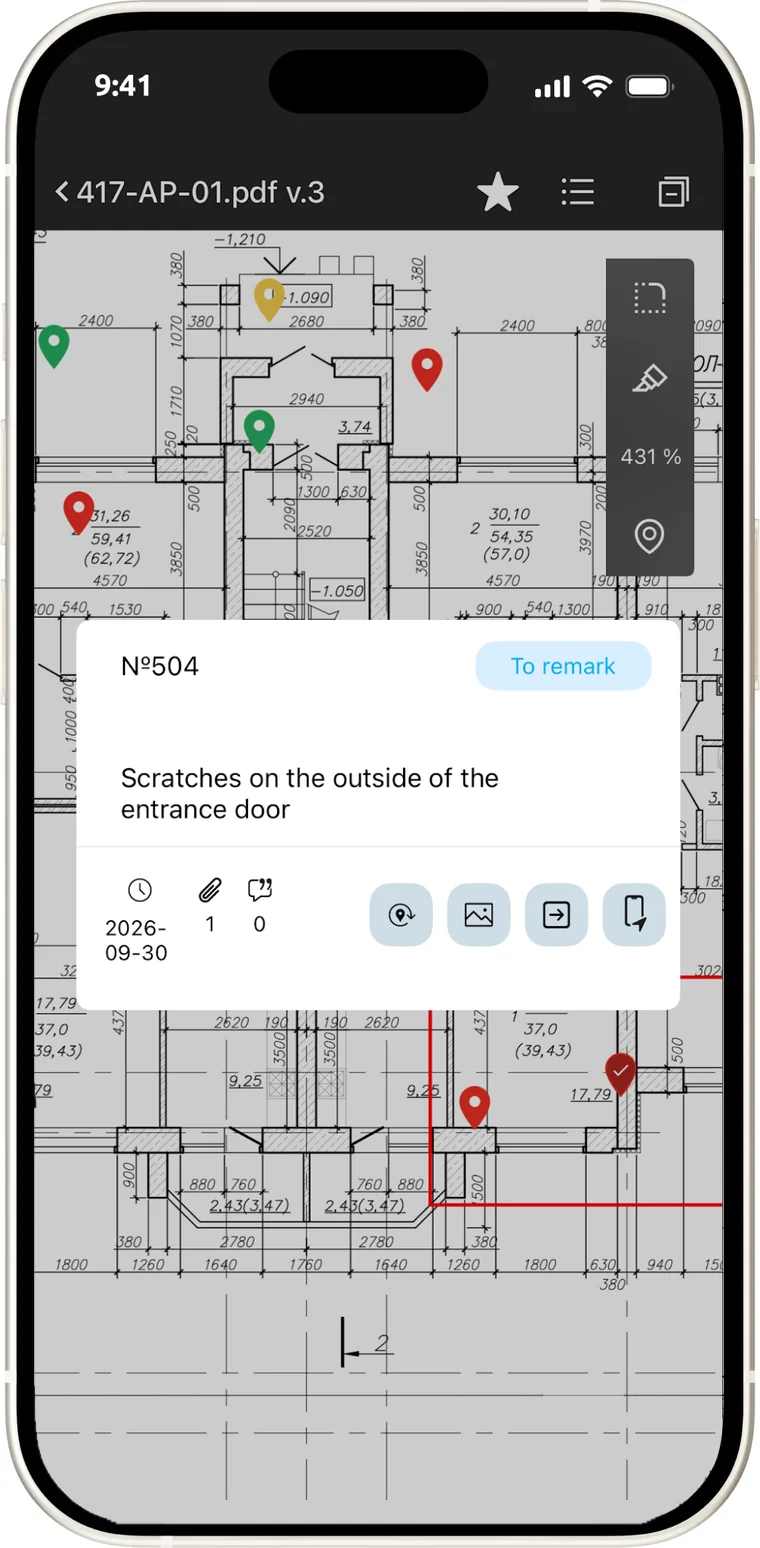
Mark a deviation from the design as a point on the sheet — the contractor sees exactly where.
Site visit photos
Photos are tied to the observation and the spot on the plan, so there is nothing to argue about.
Deadlines and owners
The contractor gets every item with a due date, and you see what has been fixed.
Site observation reports
Every visit is logged with date and author — the full history stays in one place.
All projects in one place
Projects, sheets and observations for every site — no folders in your inbox.
Report for the client
A summary of open items and statuses is generated automatically, as a PDF.
Who works in the system
The architect raises an item, the contractor fixes it, the client sees the result.
- 01
Project architect or lead engineer
Sets up the team and sees every open item on the project.
- 02
Construction administrator
Visits the site, records observations and checks the fixes.
- 03
Contractor
Gets items with photos and deadlines and marks them as fixed.
- 04
Client
Sees the project status and gets the report without asking.
What changes
Construction administration stops being a pile of memos and chat threads.
- Observations cannot get lost: each has a place, a deadline and an author
- The contractor sees the problem on the drawing instead of hunting for it
- Follow-up visits check fixes instead of starting a new walk
- The site history of the project lives in one place
- The client report takes minutes, not an evening
We'll show construction administration in MonStr on your own project and drawings