
Defect management and punch lists
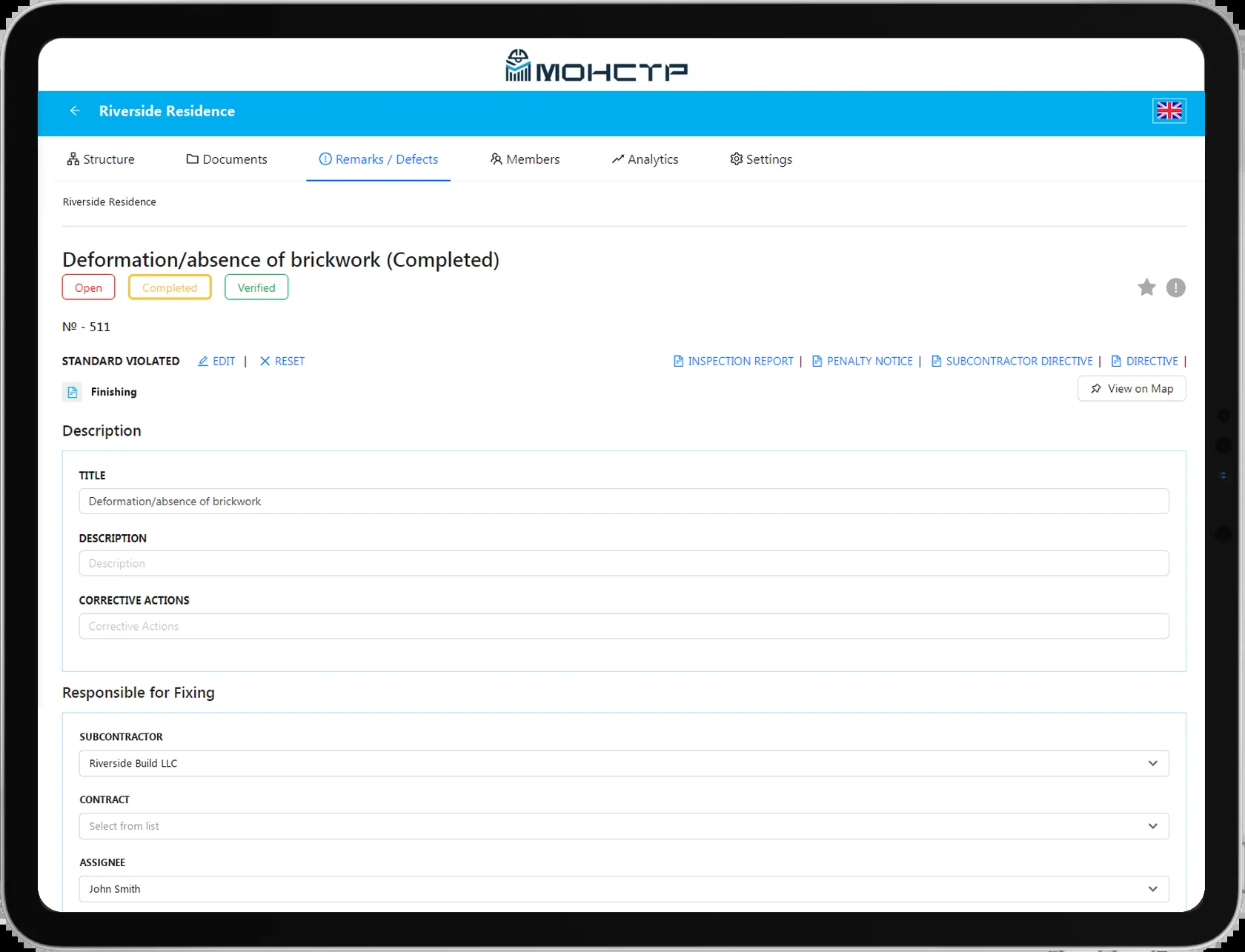
Every snag is tied to a point on the drawing, an owner and a deadline. Statuses, history and reopening all live in the same record.
What it gives you
A snag stops being a chat message and becomes a record with an owner and a date.
Tied to a point on the drawing
A snag is placed on the plan or on a structural element — a section, a floor, a room.
Standards reference book
The name and description can be picked from the standards library, pulling in the code reference automatically.
Classification
By type of work — electrical, finishing, structural — and by how critical the breach is.
Deadlines and statuses
Open, in progress, under review, closed. Overdue items stand out in the list straight away.
Reopening
If a snag was closed incorrectly it is reopened, and the system flags it automatically.
Volumes to withhold
A snag can carry the volume of work withheld if it is not closed on time.
How it works
The path of a snag from discovery to close-out.
- 1
Drop a pin
On the drawing or on a structural element — exactly where the breach was found.
- 2
Fill in the record
Description, photo, type of work, owner and the deadline for the fix.
- 3
Move it along the route
The responsible people move the snag through the statuses until it is closed.
Working with the list
Once there are many snags, the speed of working with the list matters most.
- Filtering by author, assignee, dates and status
- Bulk rescheduling and status changes
- Changing the person responsible for the fix
- Exporting a snag into a printable instruction form
- Archiving snags created in error
- Uploading the standards reference book from Excel
We will show snag handling on your own drawings