
AI assistants for site inspectors
Dictate a snag or photograph a document — AI fills in the card and picks the trade and the applicable standard from your own reference lists.

What the AI does
Two assistants that take the most tedious part of the job off the engineer: typing on site.
AI agent: voice entry
Open a snag and say what is wrong — the agent picks the defect name, writes the description and fills in the card.
Reading documents from photos
Photograph a document or drawing — AI reads the text and data and fills them in, with no typing.
Trade and standard
When you photograph a defect, the system sets the trade and the standard from your company reference lists.
Voice comments
A recording attaches to the card — faster than typing in the wind or in gloves.
Fewer errors in instructions
Names and standards come from the reference list, not from memory — every engineer writes them the same way.
Your own reference lists
AI works with your standards and work-type lists, which you load and extend in the admin panel.
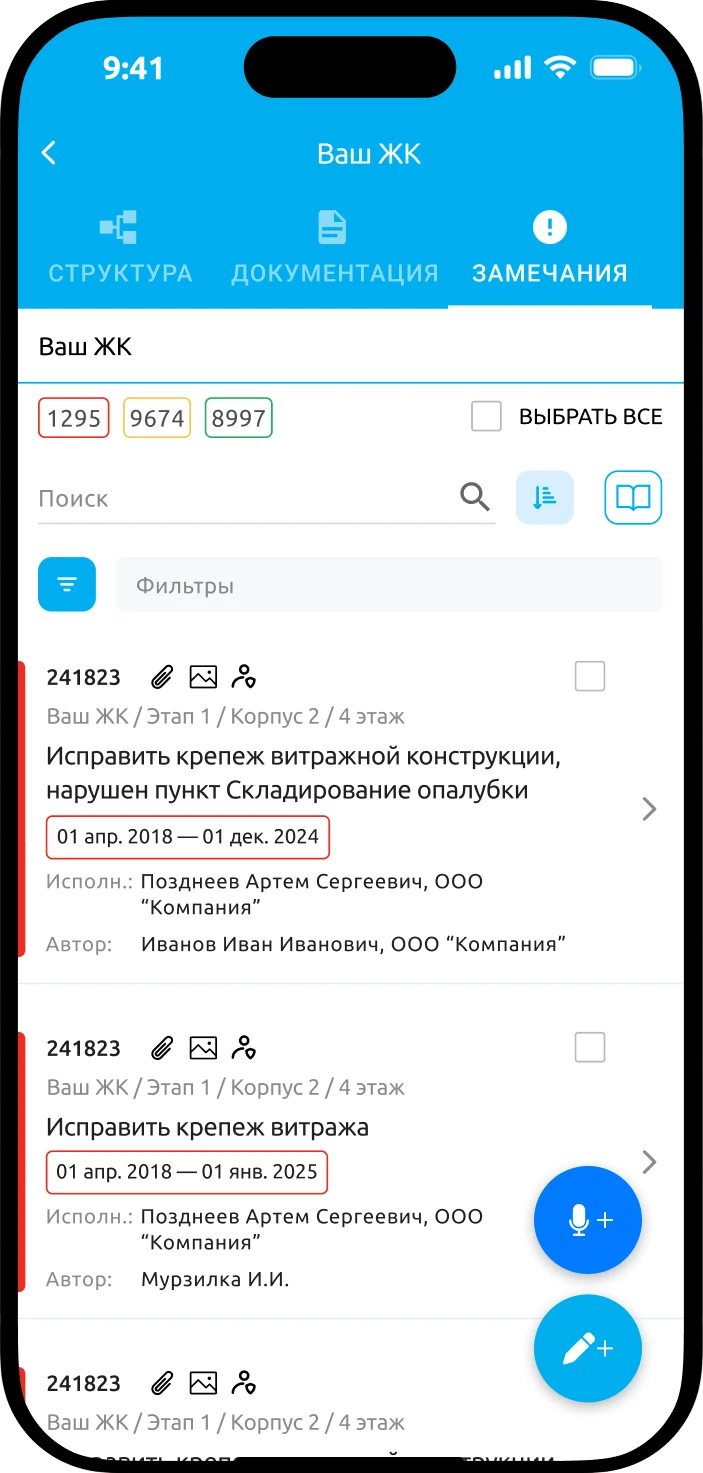
Log a snag by voice, right from the list
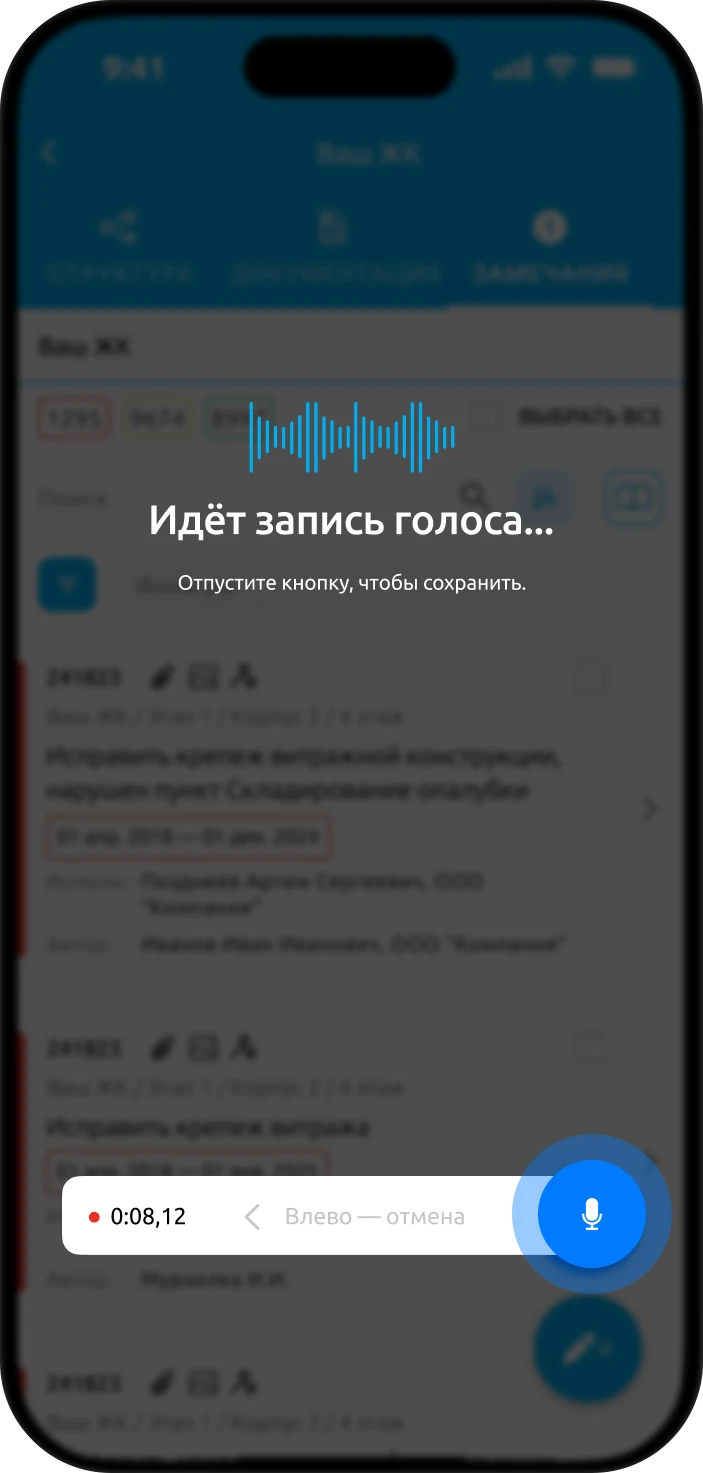
The microphone button sits in the snag list. Hold, talk, release — and the card is filled in.
- 1Hold the microphone buttonRecording runs while you hold it. Changed your mind? Slide your finger away to cancel.
- 2Say what is wrongWhere the defect is, what is breached and how serious it is — in your own words, as you would tell the foreman.
AI filled in
- Defect name
- Description
- Trade
- Standard
- 3Check the cardThe agent fills in the name, description, trade and standard. All that is left is the owner and the deadline.
How the model was trained
Not on generic data, but on real instructions issued on construction sites.
- 1
Real site instructions
Snags with photos, trades and standard references from our own projects.
- 2
Trained on trades and standards
The model learned to tell the trade and the right standard from a photo and a description.
- 3
Tested with clients
Before AI went into the app, it was tested together with clients.
What the AI was trained on
- 125,000
- snag cards
- 375,000
- site photos
- 745
- standards across 45 trades
- 30 sec
- to create a snag instead of a minute*
* Observations on our own projects, without a control group.
Details
Worth knowing before you roll it out.

- Works in the iOS and Android apps
- Voice comments stay on the snag card
- The standard reference is added automatically
- Text from a photo of a document or drawing, no typing
- Your own standards and work-type lists
- Included in Cloud plans and in Enterprise
Frequently asked questions
What can the AI in MonStr do?
It fills in a snag card from your voice: defect title, description, trade and standard. It also reads text and data from a photo of a document or drawing, so you don’t have to type them in.
What data was the model trained on?
Real site instructions: 125,000 snag cards, 375,000 site photos and 745 standards across 45 trades. Before it went into the app, the AI was tested together with clients.
Can it use our own reference lists?
Yes. The AI works with your own standards and work-type lists, which you load and extend in the admin panel.
Do I need to check what the AI fills in?
It is worth a quick review: the agent fills in the title, description, trade and standard, and the inspector assigns the owner and the deadline. The voice recording stays on the card.
Which plans include the AI?
The AI works in the iOS and Android apps and is included in the Cloud plans and in Enterprise.
See how AI fills in a snag on your projects