
Calendar and inspection booking
A live schedule of inspectors and staff: inspection requests, task allocation by department and workload control — in one calendar.
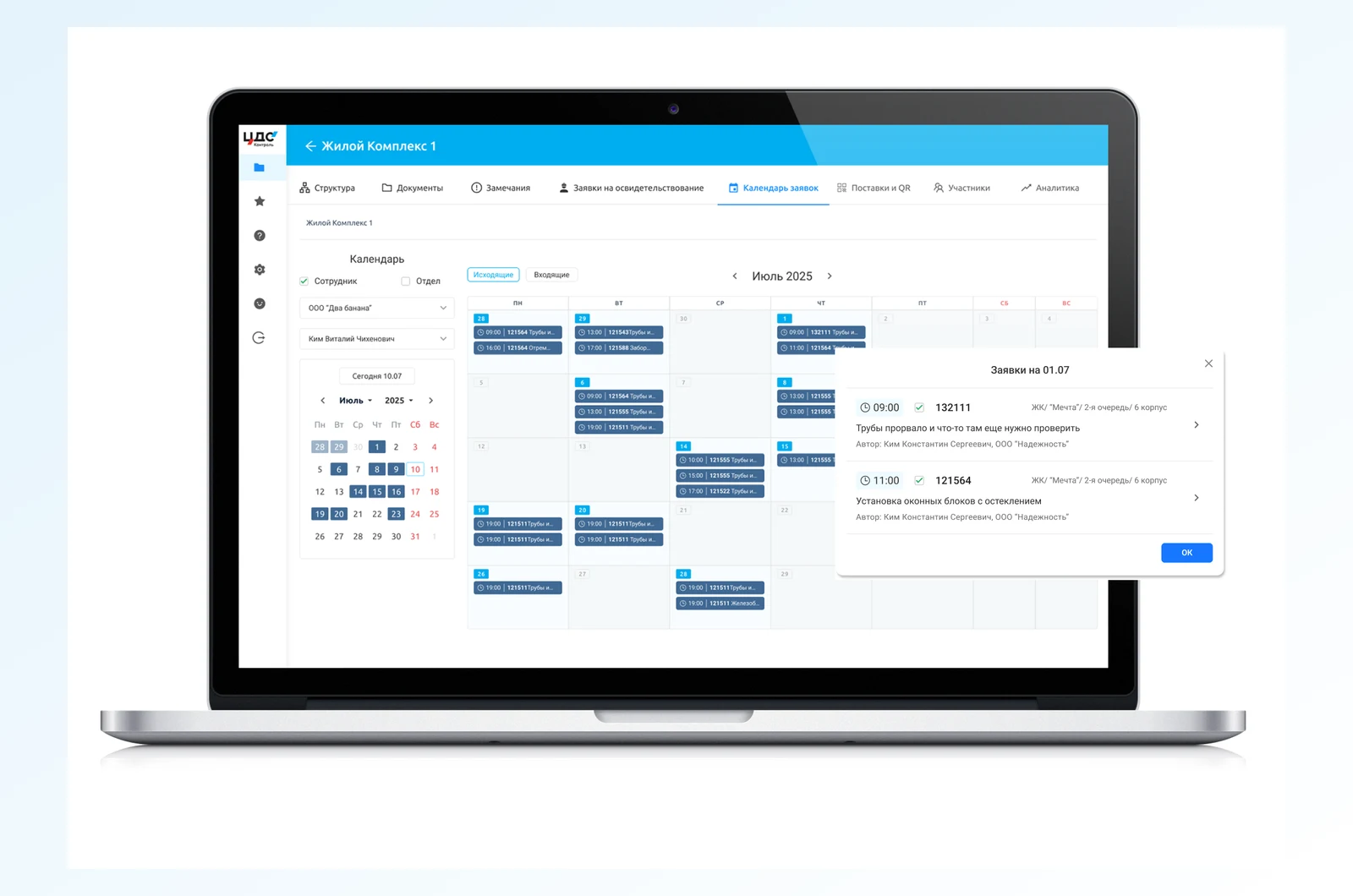
What it gives you
The calendar becomes the centre of work planning instead of a paper sign-up log.
Inspection requests
Book an inspector with a date, time, type of work and attendees.
Inspector workload
See who is busy and when — tasks are split across departments without clashes.
Filters
By staff, department and site — easy navigation through the schedule.
Notifications
The inspector and attendees are notified of the booking and any changes.
Actual time
Time spent on work is logged as it happens — for records and pay.
Email calendar
Inspection meetings land in everyone’s work email calendar.
How it works
From a request to a completed inspection.
- 1
The site manager books
Picks the site, date and time, type of inspection and attendees.
- 2
The inspector sees it
The request lands in the calendar; clashes and workload show at once.
- 3
Inspection and time logged
The system keeps a trail: who checked what, when, and how long it took.
What the calendar shows
The details that make the schedule transparent.

- Incoming and outgoing requests
- Staff and department views
- The day’s requests in a pop-up
- Task and meeting statuses by colour
- Site, building and author on every request
- One click from the calendar to the request
We will show the calendar on your team’s schedule